The real moon every night. A story every morning.
Moon phases, moonrise and moonset, eclipses visible from where you are, widgets. No ads, no account, offline.
Free download · iPhone and iPad
Plenilune is available on iPhone and iPad.
The Moon Sways
The moon always shows the same face, but not exactly. It nods and sways a little over the month. Astronomers call it libration. With patience, 59 percent of its surface can eventually be seen.
The First Voyage
In 1902, Georges Méliès planted a rocket in the eye of the moon. A quarter hour of film, and one of the most famous images of the century. The movies were not even ten years old.
Selene and Endymion
The Greeks told that Selene, goddess of the moon, loved the shepherd Endymion and won him a sleep without end. She came to gaze on him each night, as beautiful as ever, and as fast asleep.
Piece of art
The illustrations are seriously impressive. You can tell they were made by an actual artist, not generated by AI. Hard to find this kind of quality these days, especially in an app. Really beautiful work.
4.97 · 31 ratings on the App Store
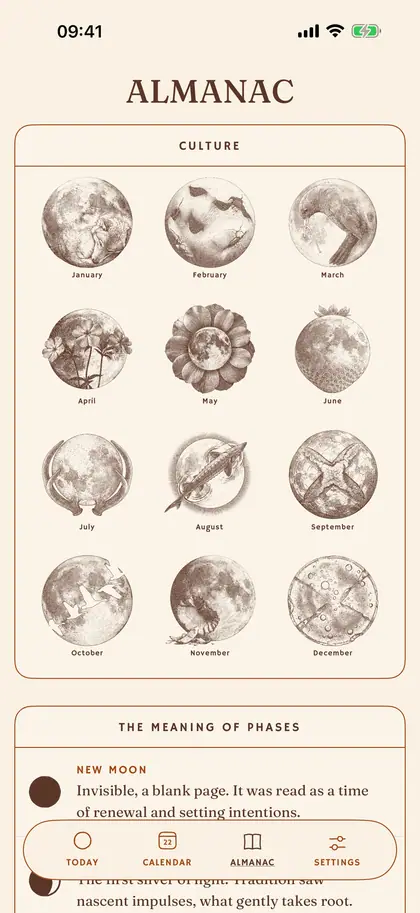
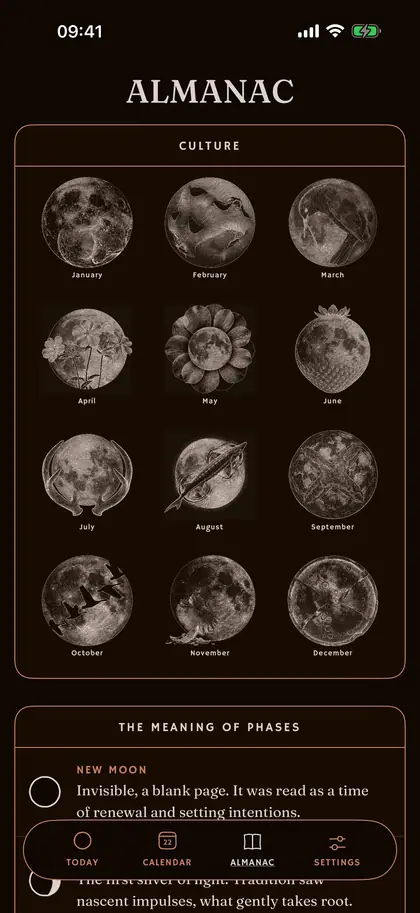
The day’s almanac.
An entry every morning, drawn from five registers: the sky, history, folklore, sayings, nature. Then rise, set, distance.
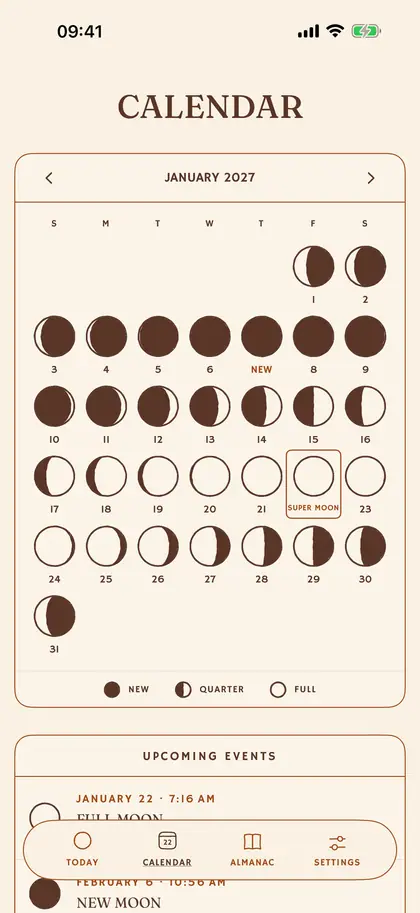
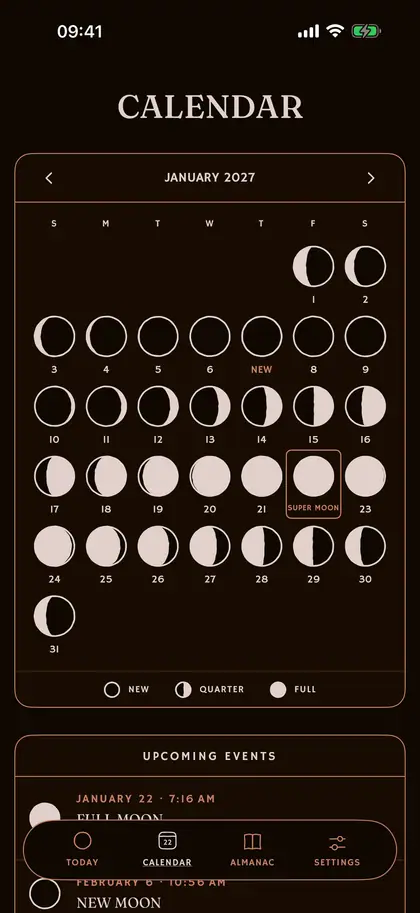
The lunar calendar, at a glance.
Every phase, day by day. Then the eclipses, the solstices and the equinoxes.
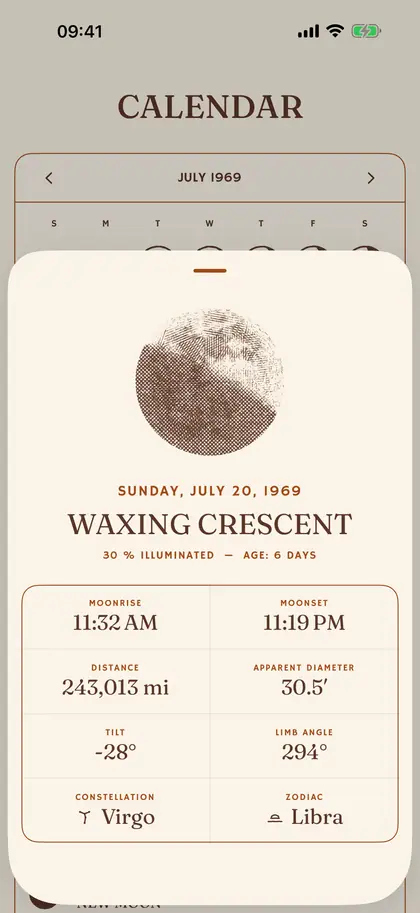
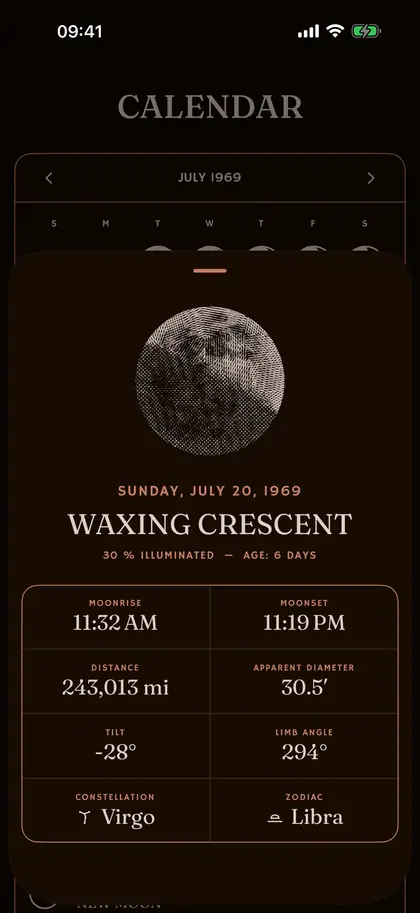
Travel back to any night.
The moon of a birth, a first evening: the real one, engraved for that day.


Four widgets that keep themselves current (the phase, the calendar, the note, the next moonrise), and notifications off by default.
Moon Phase
Today’s moon phase, illustrated.


The figures from the app’s Almanac, computed the moment you read this.
ALMANAC
Wednesday, October 14, 2026, 5:40 PM UTC
PHASE
Waxing Crescent
FULL MOON
Oct 26
4:11 AM
NEW MOON
Nov 9
7:01 AM
ILLUMINATED
16.00%
AGE
4d 1h 50m
DAY'S COURSE
Location unknown
LUNAR ECLIPSE
Jan 12, 2028 · 6%
SOLAR ECLIPSE
Feb 6, 2027
ALTITUDE
—
AZIMUTH
—
DISTANCE
249,665.6 mi
APOGEE
Oct 16
APPARENT DIAMETER
29.73′
TILT
—
LIMB ANGLE
—
DAY'S COURSE
Location unknown
DAWN
—
DUSK
—
ASTRONOMICAL NIGHT
—
DAY LENGTH
—
SINCE YESTERDAY
—
CONSTELLATION
Scorpius
Oct 15 7:38 AM › Ophiuchus
ZODIAC
Sagittarius
Oct 16 12:57 PM › Capricorn
MOON
Falling
TURNS
Oct 16
DECLINATION
-26.66°
What is Plenilune?
Plenilune is a moon app for iPhone and iPad, an almanac of the sky. Each evening, the Moon’s phase is engraved from its true position; each morning, a sourced almanac note: a fact of the sky, a proverb, an old custom.
Is Plenilune free?
Yes: the download and the heart of the app are free, with no ads. An optional Premium (a yearly subscription or a one-time lifetime purchase) opens the rest of the almanac.
Is it an astrology app?
No. Plenilune predicts nothing: no horoscope, no lunar influence over your life. Folklore is quoted as folklore, with its source. It is an almanac, not an oracle.
How is the moon drawn?
The disc is not a photograph: it is an engraving recomputed every night from the ephemerides: the shadow line, the libration, the tilt at your latitude. The engine follows Jean Meeus’s algorithms and runs entirely on the device.
How is Plenilune different from other moon apps?
Most moon phase apps show a photograph or a fixed set of images, and many read the sky as astrology. Plenilune engraves the disc from the geometry of the night, adds one sourced almanac note each morning, and works with no account and no ads: a lunar calendar drawn like a printed almanac.
Does Plenilune work offline?
Yes. All the astronomical computation happens on the device, with no account and no advertising identifier. The app works on a plane as well as deep in a valley.
Are eclipses really computed for my location?
Yes. Plenilune only announces solar and lunar eclipses visible from where you are, at their local times, counted down seven days ahead.
Which devices does Plenilune run on?
Plenilune is an iOS moon app: iPhone and iPad, iOS 17 or later, in six languages (English, French, German, Spanish, Italian, Portuguese). There is no Android version to date.
Why did the daily note notifications stop?
iOS limits how many notifications an app may schedule in advance. Plenilune therefore plans its notes one month ahead, and rebuilds that calendar every time the app opens. If the app stays closed for a whole month, the reserve runs out and the notifications stop. Neither a fault nor a choice on our part. Simply open the app again: a month of notes is reloaded.
Why does my week start on Monday (or Sunday)?
The calendar, in the app as in the widget, follows the convention of the Region set on your iPhone, not the app’s language. To change the first day of the week, iOS offers a setting: Settings → General → Language & Region → “First Day of Week”.
Free download · iPhone and iPad
Plenilune is available on iPhone and iPad.